
Make the wireless standard clear, trackable and easy to evidence
If you’re dealing with patchy coverage, unreliable performance, or uncertainty about how secure and well-managed your Wi-Fi really is, Compass can help. Only 54% of primary schools report separate Wi-Fi networks for staff and visitors – a simple control that reduces risk. With budgets under pressure for almost every school, prioritisation matters.
Compass helps you understand how your wireless provision compares to the DfE digital and technology standard, assign actions, and keep a clear record of what’s in place and what’s improving.
Only 54% of primary schools have separate Wi-Fi networks for staff and visitors.
Source: Technology in schools survey: 2024 to 2025 – Research report (Department for Education, carried out by IFF Research, published Nov 2025)
Turn the wireless standard into a simple checklist
The DfE wireless network standard sets expectations for performance, coverage, management and security. It recommends that schools use the latest Wi-Fi standards, currently Wi-Fi 6E as a minimum, with capacity to support many users at once and to grow over time.
The wireless network standard also highlights the importance of sufficient access points, central management tools, appropriate warranties and robust security controls. It recognises that wireless connectivity depends on other parts of the network, including cabling and switches, which are covered in separate digital and technology standards.
At a glance, this digital and technology standard covers:

Using modern Wi-Fi standards such as Wi-Fi 6E and planning for Wi-Fi 7
Providing full wireless coverage in all areas where devices are used
Centrally managing access points, updates and performance
Configuring the network for segregation, quality of service and security
Protecting users and data through strong wireless security controls
Why unreliable Wi-Fi quickly becomes a whole-school problem
Classroom practice increasingly relies on wireless devices, and teachers expect lesson resources, assessment tools and online platforms to respond quickly. Students often use shared or one-to-one devices that must connect reliably in every teaching space, and if wireless performance is poor or coverage is patchy, lessons stall and staff confidence in digital tools falls away.
Wireless networks also carry a growing volume of traffic from administrative systems, telephony, CCTV and building management tools. If these services contend for the same bandwidth without proper planning or quality of service controls, critical functions can slow down or fail at busy times.
From a safeguarding and cyber security perspective, unmanaged wireless access presents significant risk. Without appropriate authentication, network segregation and encryption, there is a greater chance of unauthorised access to systems or interception of data. A wireless design that takes the DfE digital and technology standard into account supports safer access for students, staff and visitors.
For multi-academy trusts, inconsistent wireless provision across schools makes it harder to roll out shared systems, standard device builds or trust-wide safeguarding tools. Aligning to the DfE digital and technology standard helps create a more predictable, supportable environment.
How Compass makes the wireless standard manageable
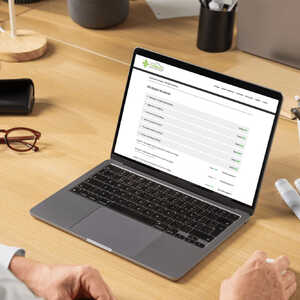
Computeam Compass translates the DfE wireless network standard into clear, trackable expectations. It gives schools and trusts a single view of where their wireless provision stands, what needs attention and who is responsible for making changes.
Make the expectations visible
Compass sets out the wireless requirements in a structured format that mirrors the DfE guidance. Schools can record access point standards, management tools, coverage details and security controls against each element. This makes it easier for SLT, IT staff and governors to see, in one place, how the current setup aligns with the digital and technology standard.
Assign ownership and track actions
When gaps are identified – for example, limited coverage in certain areas, lack of central management or outdated security settings – Compass lets you create actions with named owners and target dates. Tasks such as commissioning a wireless survey, reviewing VLANs or planning a move to Wi-Fi 6E can be assigned and monitored. Everyone involved can see progress without relying on separate spreadsheets or email chains.
Keep a secure, auditable record
Compass provides a secure record of wireless-related decisions and evidence. Schools can store information such as survey reports, configuration summaries, warranties, training records and review notes. Each update is time-stamped, creating a useful audit trail for internal assurance and external scrutiny.
Give MAT leaders a trust-wide view
For multi-academy trusts, Compass brings together wireless information from multiple schools. Central teams can see which sites already meet the DfE digital and technology standard, which are in transition and where additional support is required. This helps with planning trust-wide wireless strategies, coordinating procurement and sequencing upgrades so that investment is directed where it is most needed.
Your next steps
If you are reviewing your wireless network against the DfE digital and technology standard, Computeam Compass can provide structure and shared visibility. It helps you capture what is in place now, identify gaps and record the actions you are taking to improve performance and security.

See how Compass tracks the wireless standard alongside the wider DfE digital and technology framework.

Explore Compass with your team and begin building a live picture of your school or trust’s digital and technology standards.
Get in touch
See where you stand - and what to do next
Computeam Compass is now available for Computeam clients – and can be explored by any other MAT or School looking to adopt a clearer, more strategic approach to digital compliance.
Share a few details and we’ll send you a demo login and the quickest way to get started. You’ll get a clear view of where you stand, what to prioritise, and who needs to own each action.
 Updating page...